
Notion, Obsidian, TickTick, Habitica, iPhone Reminders, Microsoft To Do, Todoist, Google Tasks — I tried every respectable digital productivity app as my task manager, and not one of them lasted. Even the short trip of opening a browser and clicking through to check a single task became friction, and friction, given enough time, always wins.
The wandering ended when I came back to a paper notebook, open on my desk. The sense of relief was immediate and complete.
Of the many analog methods out there, the one I settled into is the Bullet Journal. Allow me to explain why the smart apps kept failing, what the Bullet Journal genuinely does better, and exactly how I run mine at work.
Why Digital To-Do Apps Are So Hard to Keep
The apps didn’t fail me for lack of features. They failed over small digital frictions — logging in, clicking through, security hoops — and over classification systems so elaborate that maintaining them became a second job. I grew tired of working as my app’s assistant.
A notebook lying open on the desk removes every obstacle between recording and checking: zero friction. You can read it with a sideways glance. And crossing out a finished task by hand delivers a small physical satisfaction that no checkbox animation has ever matched.
Five Ways a Bullet Journal Earns Its Keep at Work
The Bullet Journal’s greatest strengths are freedom and immediacy. Unlike a preprinted planner with fixed boxes, you can reshape the format around your workflow at any time, and rapid logging with symbols keeps pace with any app.
– Infinite Freedom — It Fits You, Not the Other Way Around
A standard planner has fixed boxes: too small on busy days, blankly reproachful on slow ones. A Bullet Journal is built page by page in a blank notebook, so whether today holds one task or a hundred, the page adjusts to your pace. Work projects, personal admin, idea sketches — one notebook takes it all without complaint.
– Rapid Logging — Fast to Write, Easy to Read
You don’t write sentences. You write key words with a symbol in front. Tasks, events, and notes each get an intuitive mark, so a record takes seconds. There are no menus to click and no tags to select, which means your train of thought arrives at the page intact.
– Migration — Traffic Control for Your Thoughts
One of the core routines is migrating unfinished tasks to tomorrow or next month by rewriting them with a “>”. Copying a postponed task by hand quietly forces the question: is this actually worth doing right now? Unimportant tasks die of the reluctance to rewrite them — a remarkably honest priority filter. No graveyard of overdue items piles up the way it does in an app.
– Visual Constancy — an Always-On Dashboard, Minus the Screen
A notebook lying open on your desk is today’s dashboard, always on. You can track your progress at a glance without covering your monitor. It also carves out genuine digital-detox time — no notification has ever popped up from a sheet of paper.
– GTD, the Lightweight Edition
The Index, Future Log, Monthly Log, and Daily Log amount to the capture-and-organize core of GTD, executed in the lightest, most intuitive form analog allows.
My Actual Setup
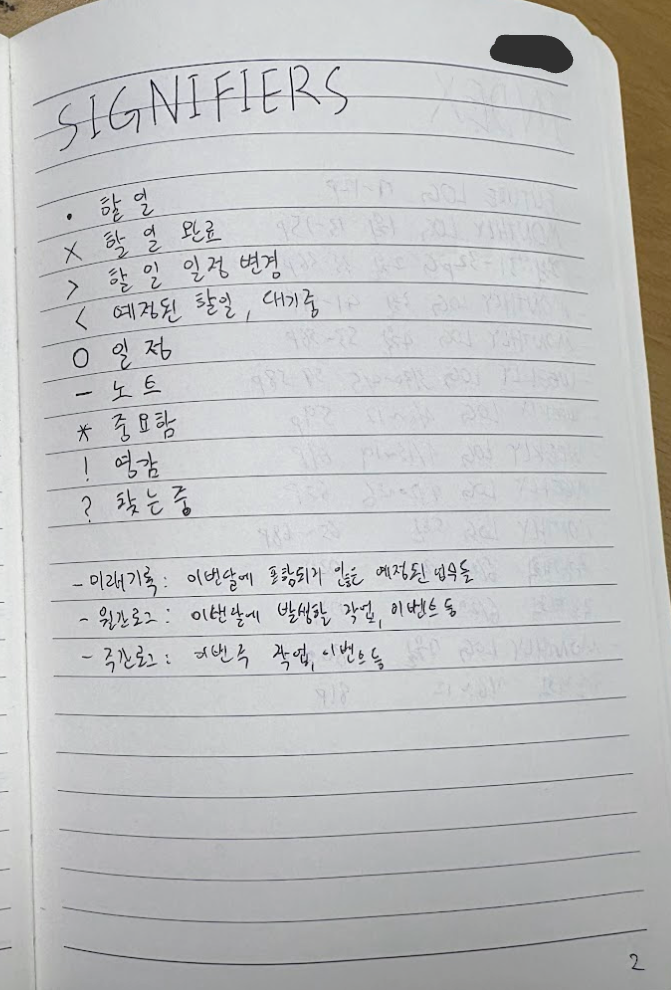
Here is the page structure and symbol Key I use at work every day. If you’re starting your first Bullet Journal, you’re welcome to borrow this skeleton.
The Key — Page 1
Declare your symbols on the first page of the notebook.
| Bullet | Meaning | Example |
|---|---|---|
| • | Task | • Draft the weekly proposal |
| X | Completed | X Morning feedback sent |
| > | Migrated | > Moved to tomorrow or next month |
| < | Waiting | < Waiting on another team’s reply |
| ○ | Event | ○ 3 PM meeting with the dev team |
| – | Note | – Reference point from a meeting |
| ! | Idea | ! New campaign title concept |
| Dismissed | A task that no longer needs doing |
Page Layout
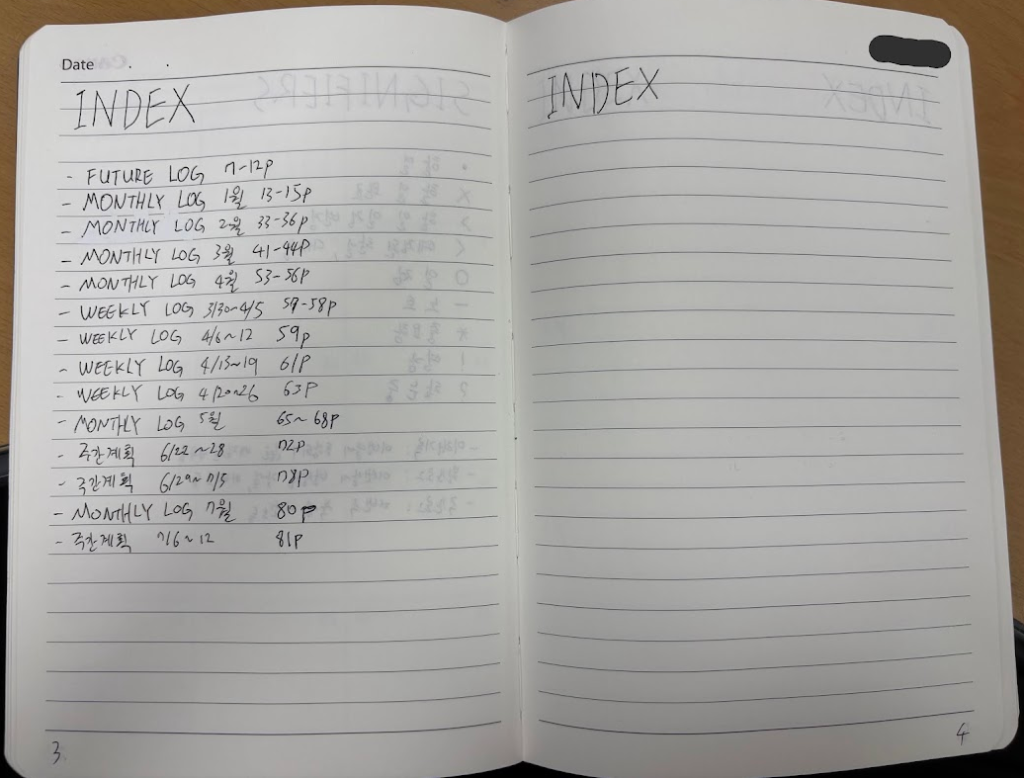
- INDEX (page 2–5). A table of contents: page numbers and topics, so you can find any record later without leafing through the whole book.
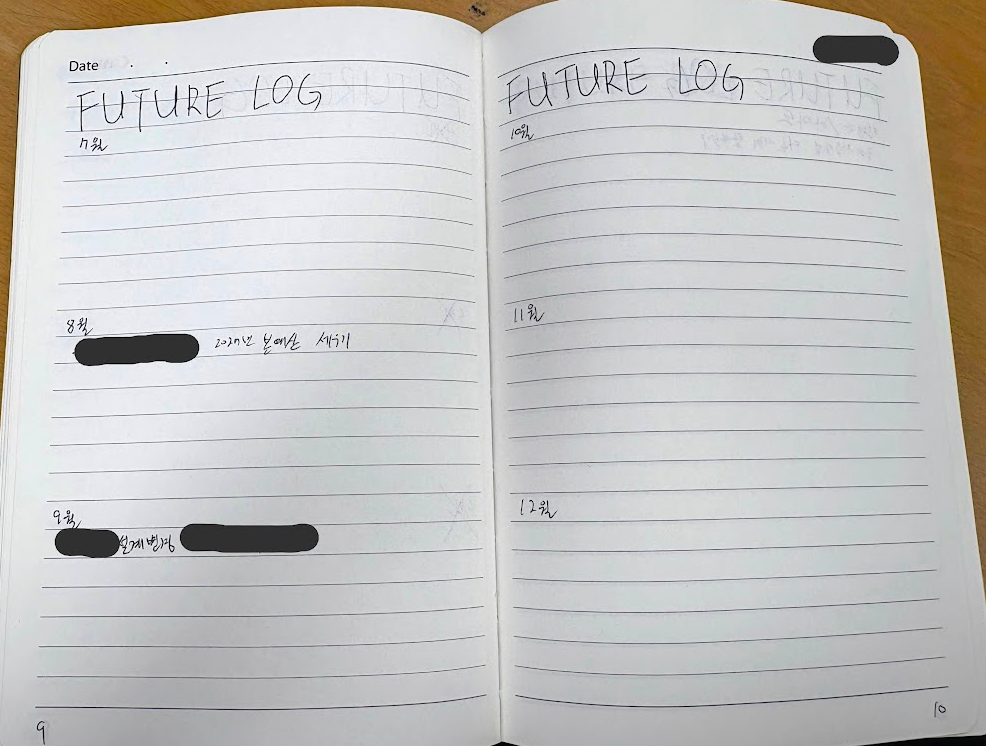
- FUTURE LOG (page 6–9). Yearly and monthly plans. Divide each page into thirds, and four pages hold twelve months.
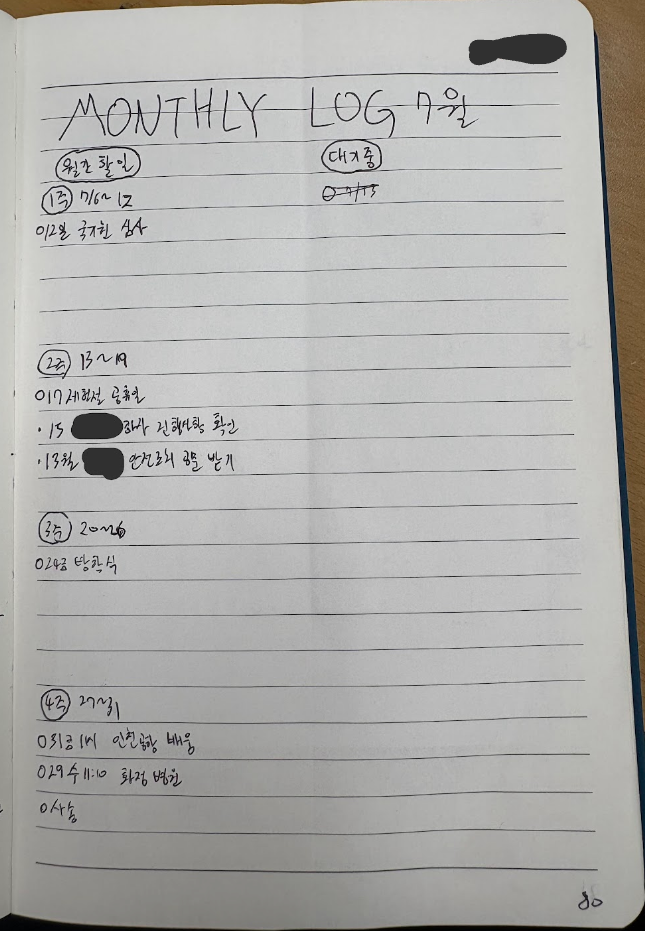
- MONTHLY LOG. Fold the page in half vertically: key tasks for each week on one side, items on hold on the other, all visible in one glance.
- WEEKLY LOG. The week’s essential tasks, each assigned a day, each tracked to completion, migration, or dismissal.
- DAILY LOG — the heart of it. Every morning I write the date — Fri, Jul 10 — and begin. I pull today’s tasks from the weekly log, then record everything the day brings in real time with the Key: requests from my manager, phone notes, sudden ideas, summaries of incoming email. There is no length limit; if the day demands three pages, it gets three pages.
The Analog-Digital Golden Balance
Since switching, the number of tasks slipping through the cracks has dropped visibly, and I no longer carry the low-grade stress of maintaining an app.
Analog does have honest weaknesses: search and permanent storage. So anything worth keeping — knowledge I’ll need again, procedures worth turning into a manual — gets a final backup in Obsidian, organized with the PARA method. That is the job Obsidian is genuinely built for.
Analog handles capture and processing; digital handles storage and retrieval. The two halves complement each other, and together they run what I can only call a proper second brain.
If you’ve been drifting from one to-do app to the next like a nomad, may I suggest an experiment: one plain notebook, one pen, and a Bullet Journal designed by the only productivity consultant who truly knows your job — you.